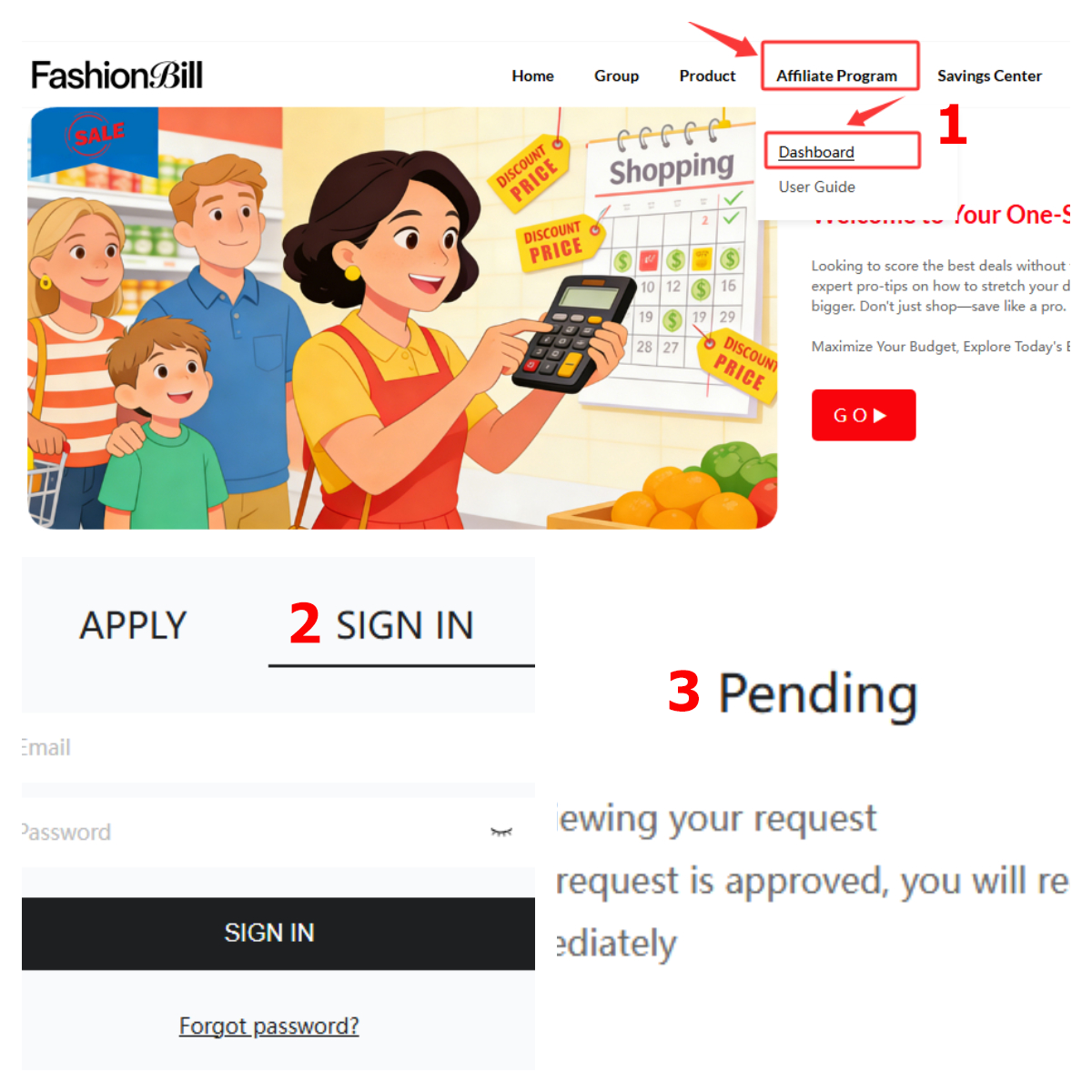


APPLY & SING IN
First off, it’s important to note that the "Affiliate Program" account on FashionBill is not interchangeable with your FashionBill shopping account. This means if you want to join the Affiliate Program, you’ll need to create a brand-new account specifically for this program.
Below is a step-by-step guide to registering and logging into your Affiliate Program account:
(1) Type www.FashionBill.com into your browser and navigate to the homepage.
(2) Locate "Affiliate Program" in the menu bar and click "Dashboard."
(3) Under the "APPLY" section, enter all required information as prompted on the page. Once completed, click "APPLY."
(4) After submitting your application, please wait patiently for FashionBill’s review.
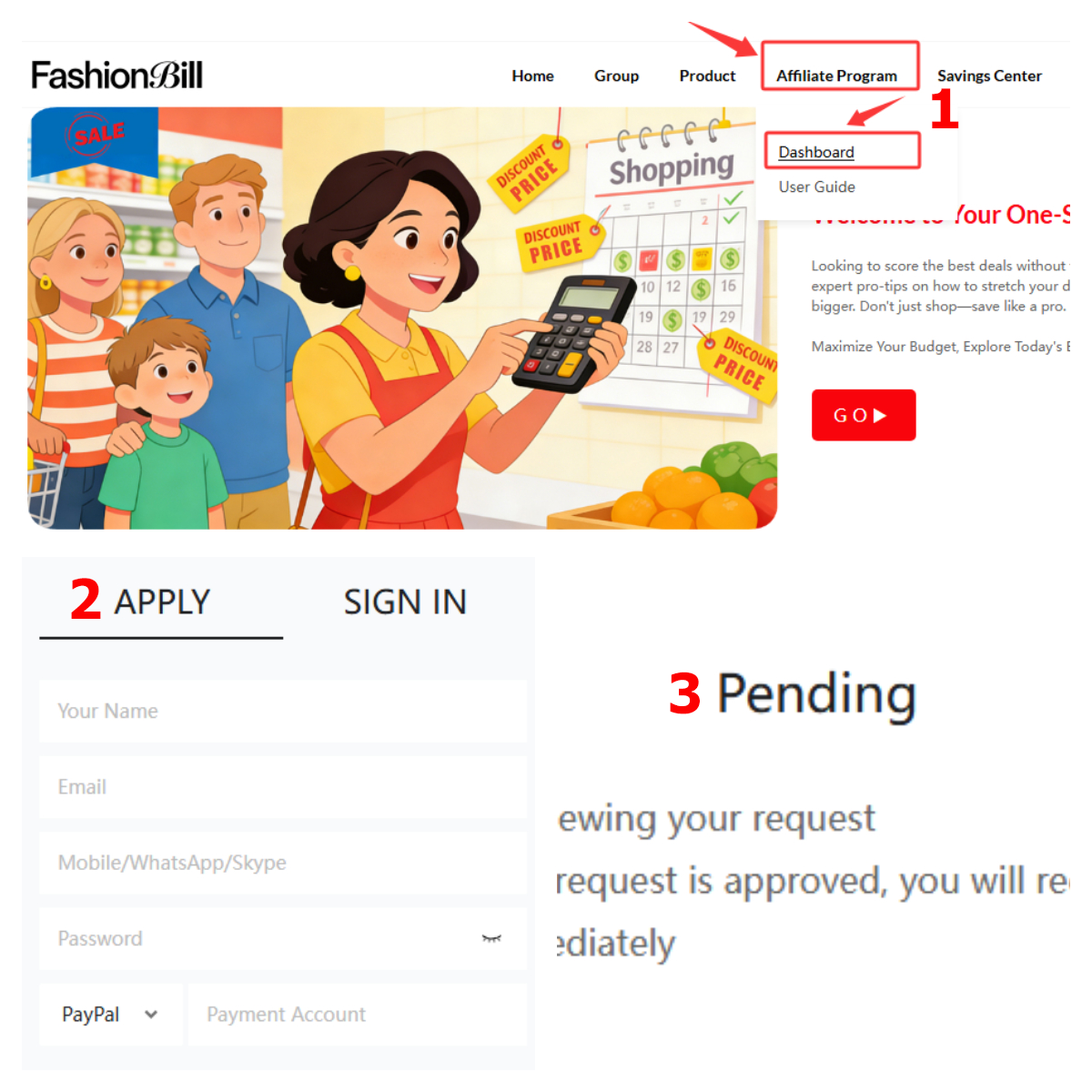
Following your registration submission, allow time for the admin team to process your application—this typically takes 1 business day. You’ll receive an email notification of the review result at the address you provided, so be sure to check your inbox regularly.
Friendly Reminders:
• For the security of your account and funds, never use the same login credentials (username/password) for the Affiliate Program as you do for your FashionBill shopping account. This is a key measure to protect your Affiliate Program funds.
• Always keep your account details confidential—never share your password with anyone.
2. How to Log Into Your Account
(1) Type www.FashionBill.com into your browser and navigate to the homepage.
(2) Locate "Affiliate Program" in the menu bar and click "Dashboard."
(3) Under the "SIGN IN" section, enter your registered email address and password, then click "SIGN IN."
(4) You’ll be directed to the system’s admin dashboard. Follow the on-screen prompts to complete any necessary actions.